Instructions to Accept School Choice
Congratulations on your acceptance into Angeline Academy for the upcoming school year! In order to complete the enrollment process, you must accept the school choice invitation. Below are screenshots directing you how to accept the application using the Parent Portal site for a cell phone.
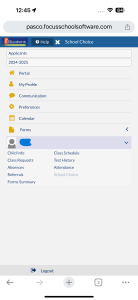
Step 1: Log onto the myStudent Parent Portal and select your student using the drop-down menu. Select “School Choice”
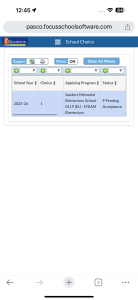
Step 2: Scroll to the right on this school choice window
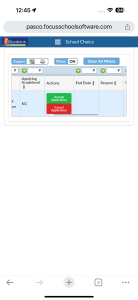
Step 3: Click the “Accept Application” Button
Step 4: Click “Accept Application”
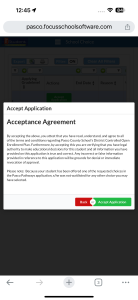
Congratulations! Welcome to the Angeline Academy of Innovation Archer Family!